Professional invoices
Create branded invoices and share clear item, tax and payment details.
Explore feature →Create professional invoices and quotations, track payments, and manage inventory with Sleek Bill. Explore multi-currency invoicing and the features available for your country. Used by businesses in 170+ countires
✓ Free forever · 10 documents/month · ✓ No credit card needed · ✓ Works in your web browser
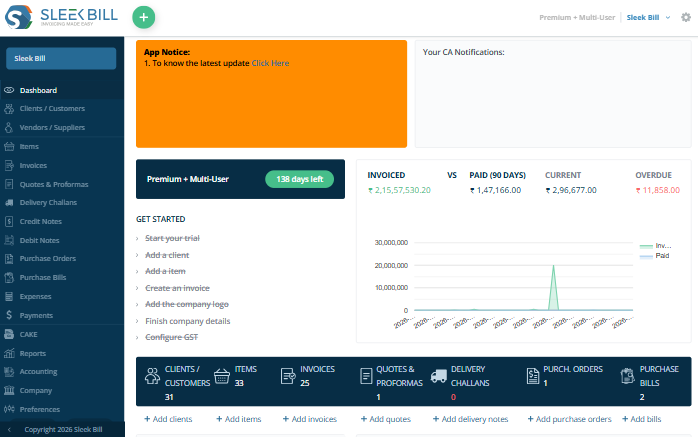






For retailers, wholesalers, freelancers and service businesses working with local or overseas customers.
Create branded invoices and share clear item, tax and payment details.
Explore feature →Send estimates and turn accepted quotations into invoices.
Explore feature →Keep supplier orders and purchase records organized.
Explore feature →Review paid, unpaid and partially paid invoices.
Explore feature →Track items, purchases and stock movements on supported plans.
Explore feature →Invoices, quotations, purchasing, payments and stock — bring everyday billing together in your browser.
Configure VAT or custom tax settings where supported. India-specific: CGST, SGST, IGST and GSTR reports. Availability depends on your country and plan.
Explore currency-based billing for overseas customers. Check your required currency and exchange-rate workflow before choosing a plan. See a currency example →
VAT invoicing supports the creation of invoices that include Value Added Tax (VAT), where applicable. Available features and compliance requirements vary by country and plan.
Track stock in real-time with purchase orders, bills, and detailed inventory reports. Review stock movements and purchasing in one place.
Sales by product, client ledgers, profit & loss, stock ledgers, reports, including India-specific GSTR exports; availability varies by plan.
Add up to 5 team members with role-based access. Collaborate across multiple devices from anywhere in the world.
Sleek Bill takes the stress out of day-to-day billing. You can keep everything in order—from your product info and customer lists to your payments—all in one spot. Getting started is straightforward.
Here’s how you set things up and keep your business running smoothly:
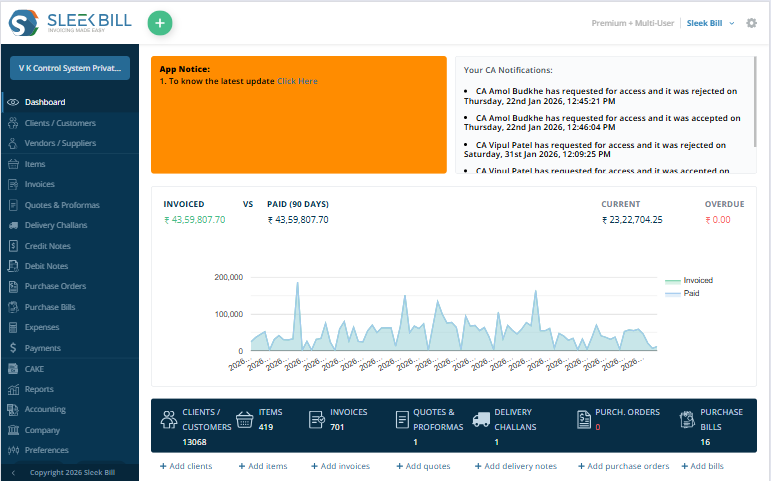
Kick things off by entering your company details—name, logo, address, contact info, tax numbers, bank accounts, the works. Make your invoices look just the way you want by adjust the layout and settings.
Next up, create a catalog for all your products and services. Enter our product names, descriptions, SKUs, units, prices, taxes, and discounts. You can also track opening stock and purchase prices, so you always know where you stand.
Add your suppliers’ business names, contact details, billing and shipping addresses, and payment info. Having everything in one place makes managing purchases way easier.
Pick a supplier, add what you bought, enter the quantities and discounts, and you’re done. Sleek Bill creates the purchase bill for you and updates your inventory automatically.
Keep customer info handy—names, business details, contacts, and addresses. You’ll have their records and payment history ready whenever you need to invoice someone.
Choose your customer, set the invoice and due dates, add the items sold, and adjust quantities, taxes, and discounts. In just a few clicks, you’ll have a polished invoice, and your inventory stays up to date.
Send invoices right from Sleek Bill by email or WhatsApp, or just download them as PDFs. You can even add QR codes so customers can pay easily. Keep tabs on who’s paid and what’s outstanding, so nothing slips through the cracks.
Stay on top of your business with easy access to reports on sales, purchases, inventory, and unpaid invoices. Use these insights to see how you’re doing, spot trends, and make smart decisions for your business.
See how Sleek Bill transforms your billing workflow into a seamless, beautiful experience.
Create professional invoices in seconds. Add customer details, products, prices and taxes, then export and share your invoices.
Used by businesses in 170+ countries. Currency settings, tax workflows and plan availability vary by market.
 USA
USA
 UK
UK
 UAE
UAE
 Australia
 Philippines
 New Zealand
 South Africa
 Sri Lanka
 Nigeria
 Singapore
 Thailand
 India
India
Recognized globally for ease of use, customer support, and value — backed by world-class certifications.







Read existing customer feedback about billing, ease of use and support.
"Sleek bill is the best software in terms of simplicity & customer support, there has always been a support system from the Sleek Bill team during all issues and changes, including GST. The updates are immediately reflected in the software. This is a really amazing & cost effective software for billing."

"Surprisingly, it's very easy to use. This is a user-friendly software for any type of business. After using Sleek Bill our work is going very smoothly. We are very satisfied with this product!"

"Sleek Bill is handy and makes billing a pleasure on my Mac. The support team was excellent when I needed help. I would recommend this billing tool to everyone."

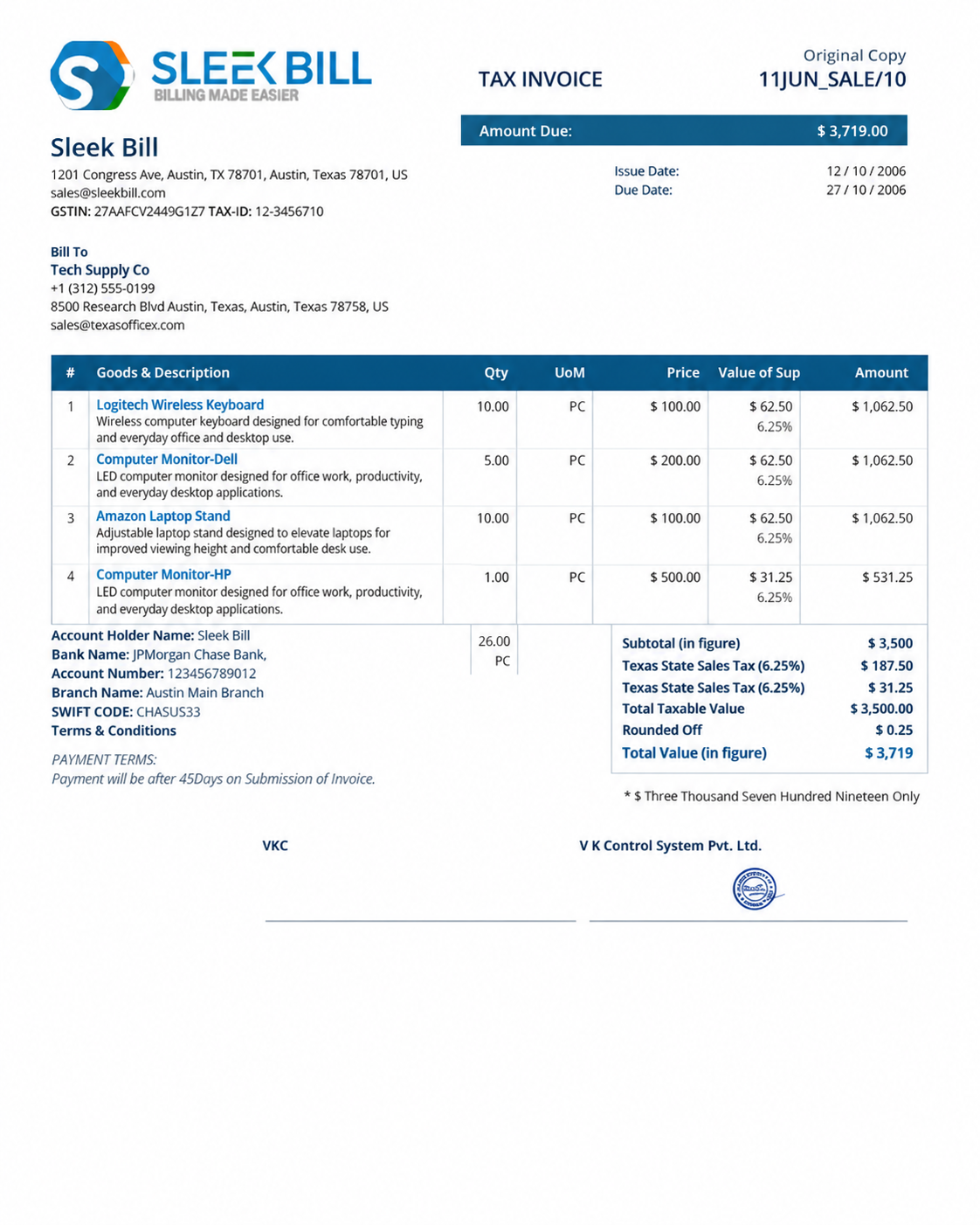
Currency-based billing helps you describe prices for international customers. This published Sleek Bill invoice sample shows the document layout. The Sri Lanka setup guide separately documents selecting LKR.
Illustrative conversion: USD 100 × 300 LKR/USD = LKR 30,000 before tax. This is an explanation, not a live rate or a promise of automatic conversion.
View the LKR setup guide →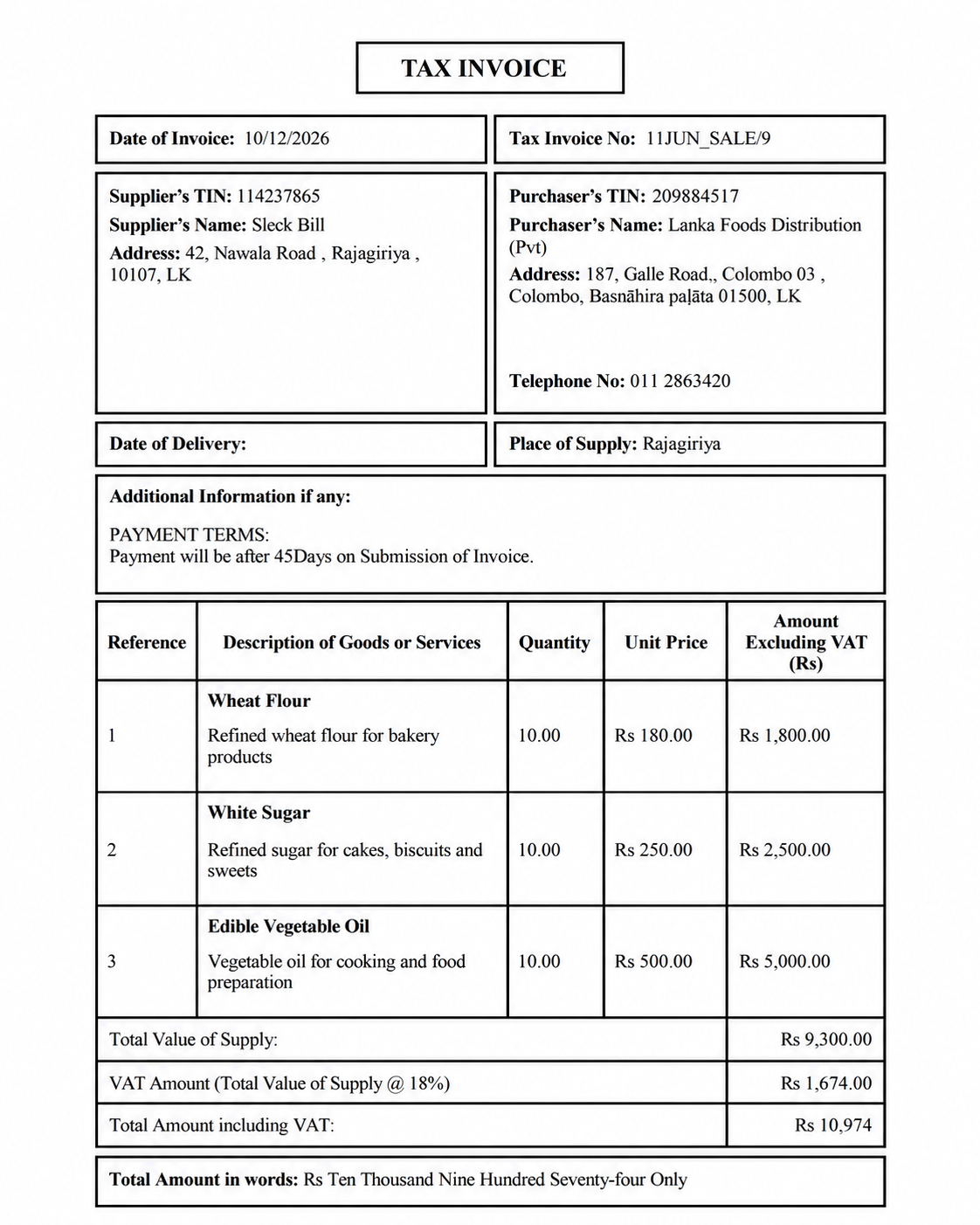
Start with a documented regional workflow. Country coverage does not mean every tax system or currency is supported.
LKR settings, TIN fields, VAT amounts and original/duplicate invoice layouts.
Explore the local guide → 🇮🇳Indian GST invoicing and reporting. IRN and e-way bill workflows are India-specific and plan-dependent.
Explore Indian GST features →Confirm your required currency, tax fields and reporting needs with our team before subscribing.
Ask about country availability →Compare document limits, inventory and team access before choosing your plan.
For trying everyday invoicing.
Annual billing, unlimited documents.
Annual billing for a small team.
Prices are in USD: $69 and $99 are billed annually. Confirm applicable taxes and renewal terms at checkout. Indian e-invoice / e-way bill access requires a separate eligibility and plan check; it is not included here as a global tax feature. Desktop licences are priced separately.
Sleek Bill describes multi-currency billing, and its Sri Lanka guide documents LKR settings. A complete verified currency list is not published here. Confirm your required currencies and plan with support before subscribing.
You can create professional invoices for overseas customers. Confirm the currency, invoice fields, payment terms and relevant tax settings for your business and customer.
Agree the conversion rate and date when an overseas price differs from your invoice currency. Confirm how your selected edition records the rate; automatic live exchange rates have not been verified.
VAT/custom tax settings depend on the country and plan. Indian GST reports, IRN generation and e-way bills are India-specific. Review the regional guide or ask support about your requirements.
Sleek Bill Online requires an active internet connection and runs in a web browser. The Desktop edition is a separate product for offline use.
The Free Forever online plan allows 10 documents per month, includes Sleek Bill branding, basic reports and limited support. Paid plan limits and prices are listed above.
Create professional invoices, track payments and organize inventory with Sleek Bill Online. Start with 10 documents per month on the free plan.