1
Open Purchase Orders
Choose Purchase Orders in the sidebar. Open an existing order or start a new one, using your saved vendor and item records.
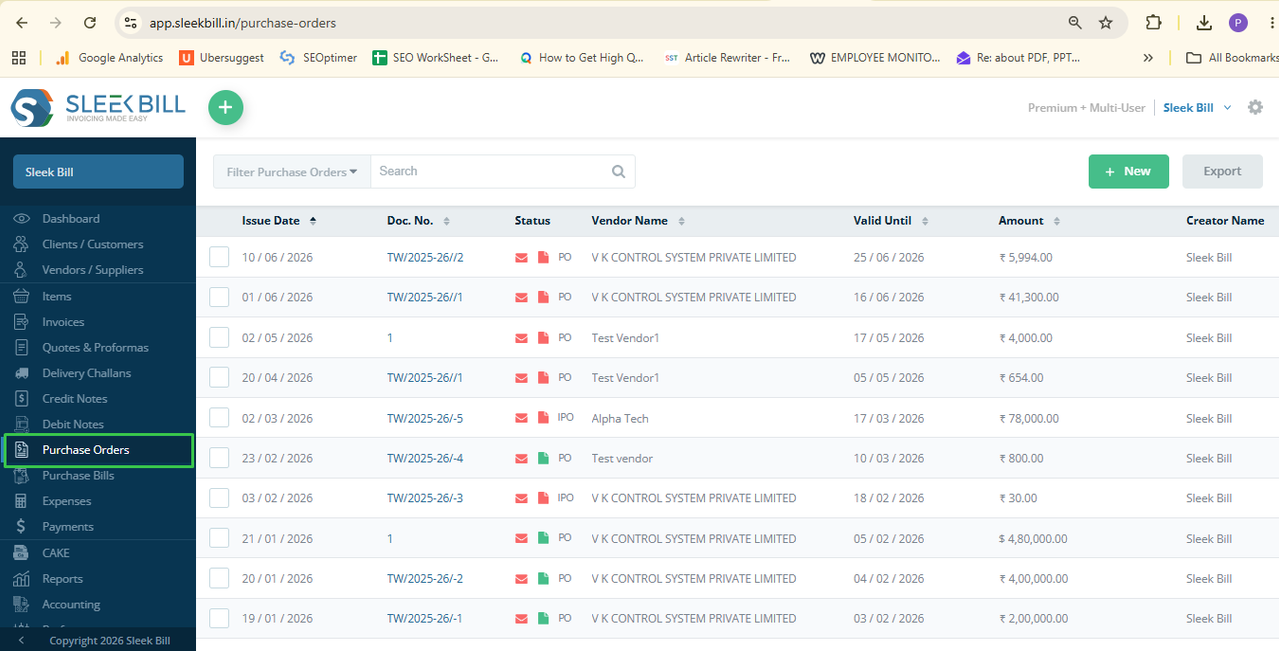 Enlarge screenshot ↗
Create purchase orders for your suppliers, record what you plan to buy and convert saved orders into purchase bills. Connect purchasing with inventory records in Sleek Bill Online, with clear plan and country-specific settings.
Purchase orders are listed in Online Multi User: USD $99/year. See plans and limits →
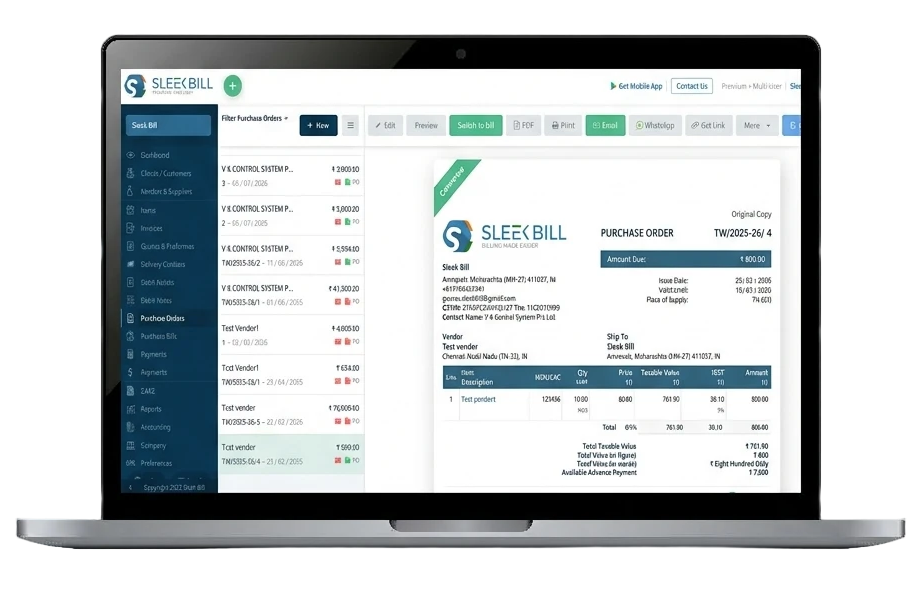
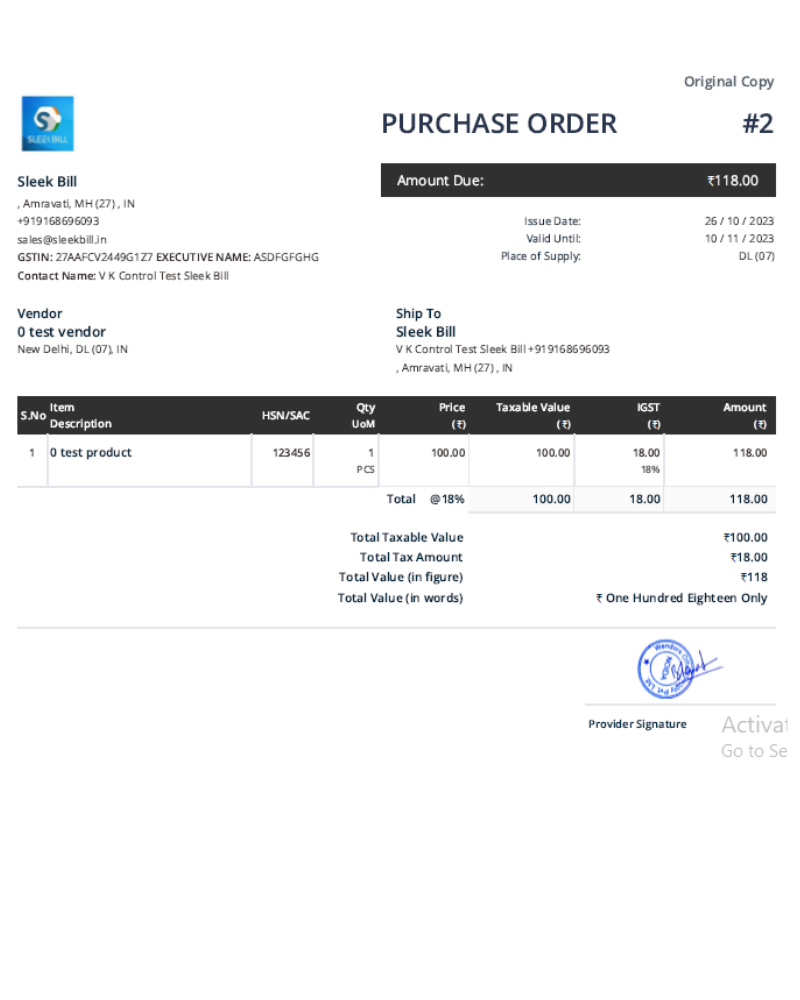
Purchase Order Software is a tool used by businesses to facilitate the creation, sending, tracking and management of purchase orders in a professional manner. The software eliminates the need for manual purchase entries, spreadsheets, email and paper trails in the process of purchasing.
Purchasing goods manually might result in mistakes with prices, quantities, lost purchase orders, delayed deliveries, and misunderstandings with the vendors. Purchase Order Software will help businesses manage every purchase prior to turning it into an invoice and managing orders and vendors data accurately.
Businesses using Purchase Order Software include small companies, startups, retailers, wholesalers, manufacturers, distributors, traders and service companies, construction companies and developers,food businesses and hotel businesses and hospitality businesses making purchases on a regular basis.
Sleek Bill provides an easy-to-use purchase order system designed for retailers, wholesalers, distributors, manufacturers, importers, exporters, and growing businesses.
Generate branded purchase orders in minutes with supplier information, products, quantity, pricing, taxes, delivery terms and payment terms.
Keep supplier names, contact details, addresses, applicable tax IDs and purchasing records together.
Review item and stock records to decide what to reorder; record stock additions through purchase bills, not the PO alone.
Review the tax setup for your business. Indian GST fields are India-specific; VAT and custom tax options depend on your country and plan.
Create purchase orders containing multiple products or services suitable for retail, wholesale, distribution and manufacturing.
Review available purchase and vendor records to understand spending and purchasing activity.
Follow the purchasing screens in Sleek Bill Online. These are published product screenshots, not illustrated mockups.
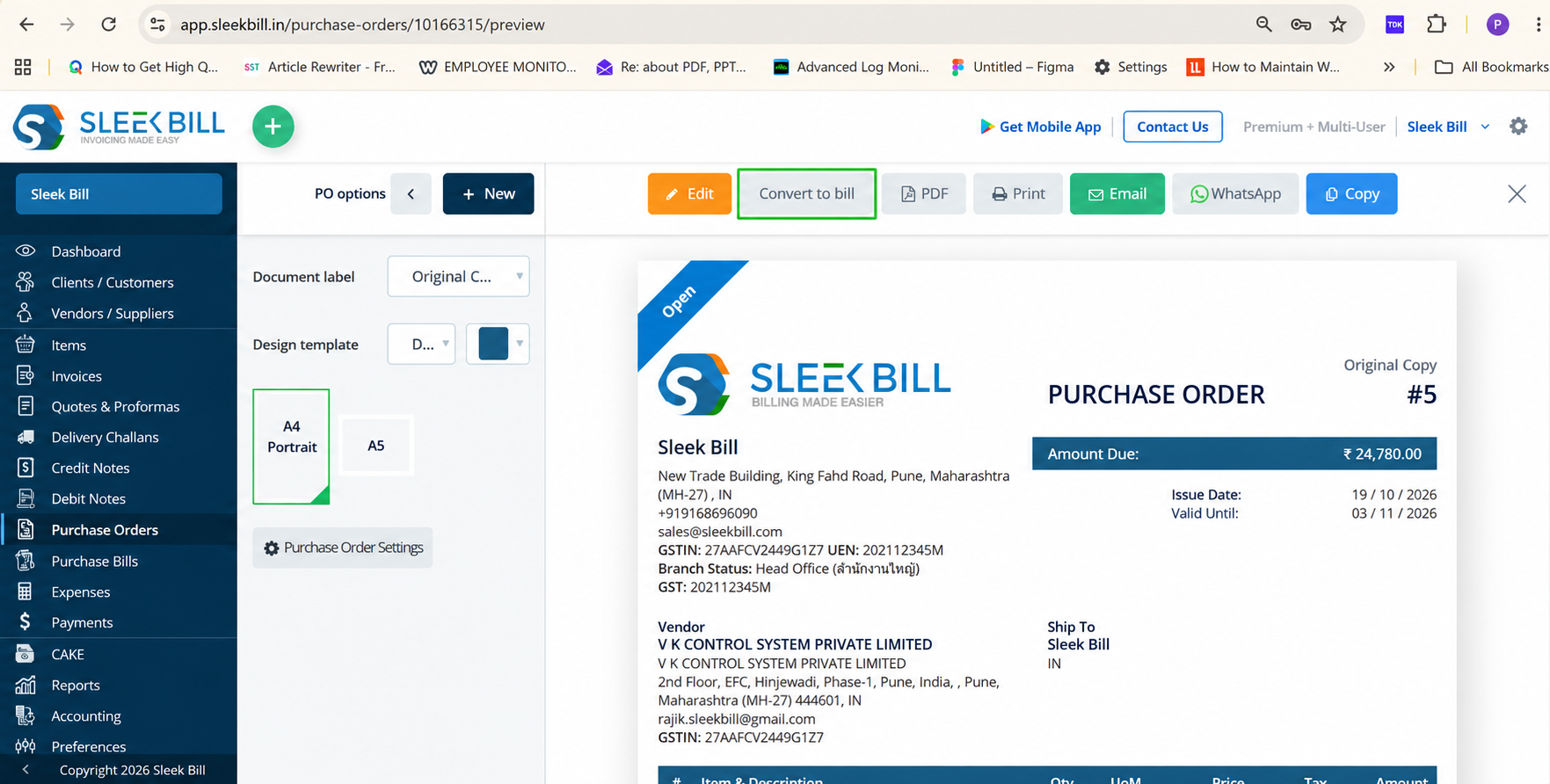
Choose Purchase Orders in the sidebar. Open an existing order or start a new one, using your saved vendor and item records.
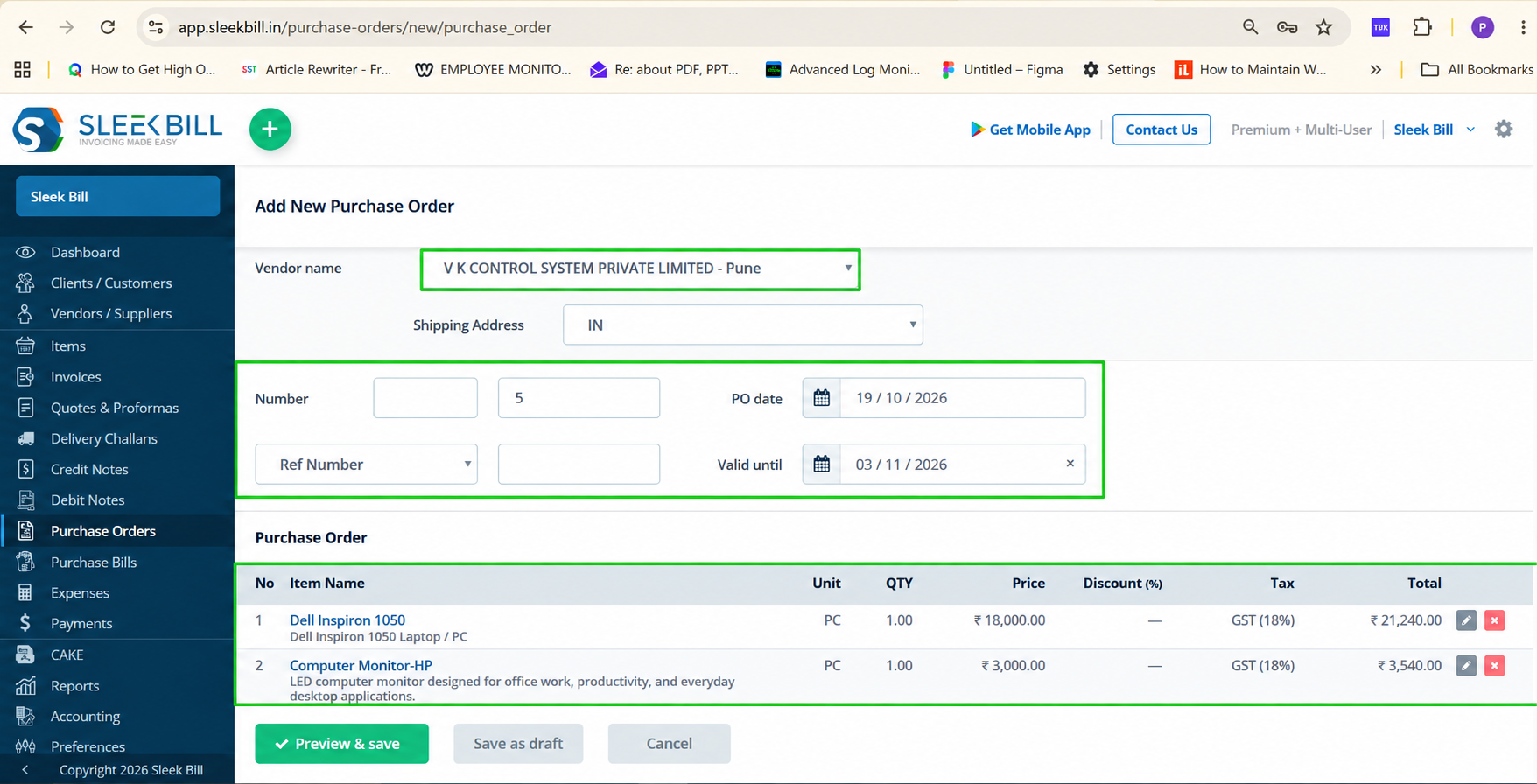
Enlarge screenshot ↗Choose the supplier, enter the PO number, dates, items, quantities and agreed prices. Review relevant taxes and select Preview & Save.
 Enlarge screenshot ↗
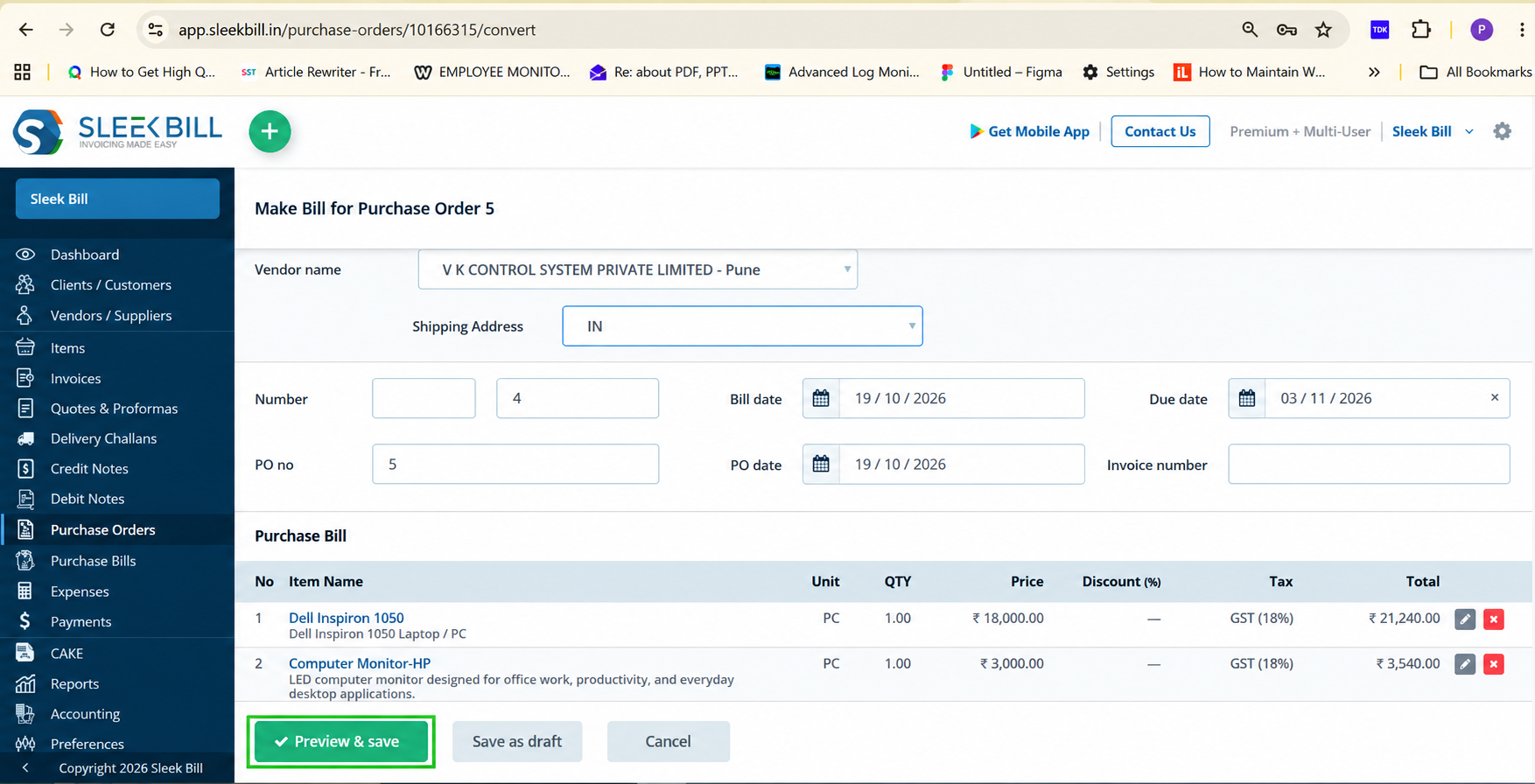
Check the saved order before sharing or printing it. After receiving the supplier invoice, select Convert to bill to start the purchase bill.
 Enlarge screenshot ↗
Review the carried-forward details against the actual supplier invoice and received quantities, make necessary adjustments and save.
 Enlarge screenshot ↗
Screenshot context: published Online tutorials updated in October 2026; the examples show Indian GST settings and INR values. Labels, tax settings and currency should be checked for your business. Read the PO-to-bill guide →
A PO tells a supplier what your business wants to buy. Review the identifiers, quantities, prices and delivery instructions before sending it.
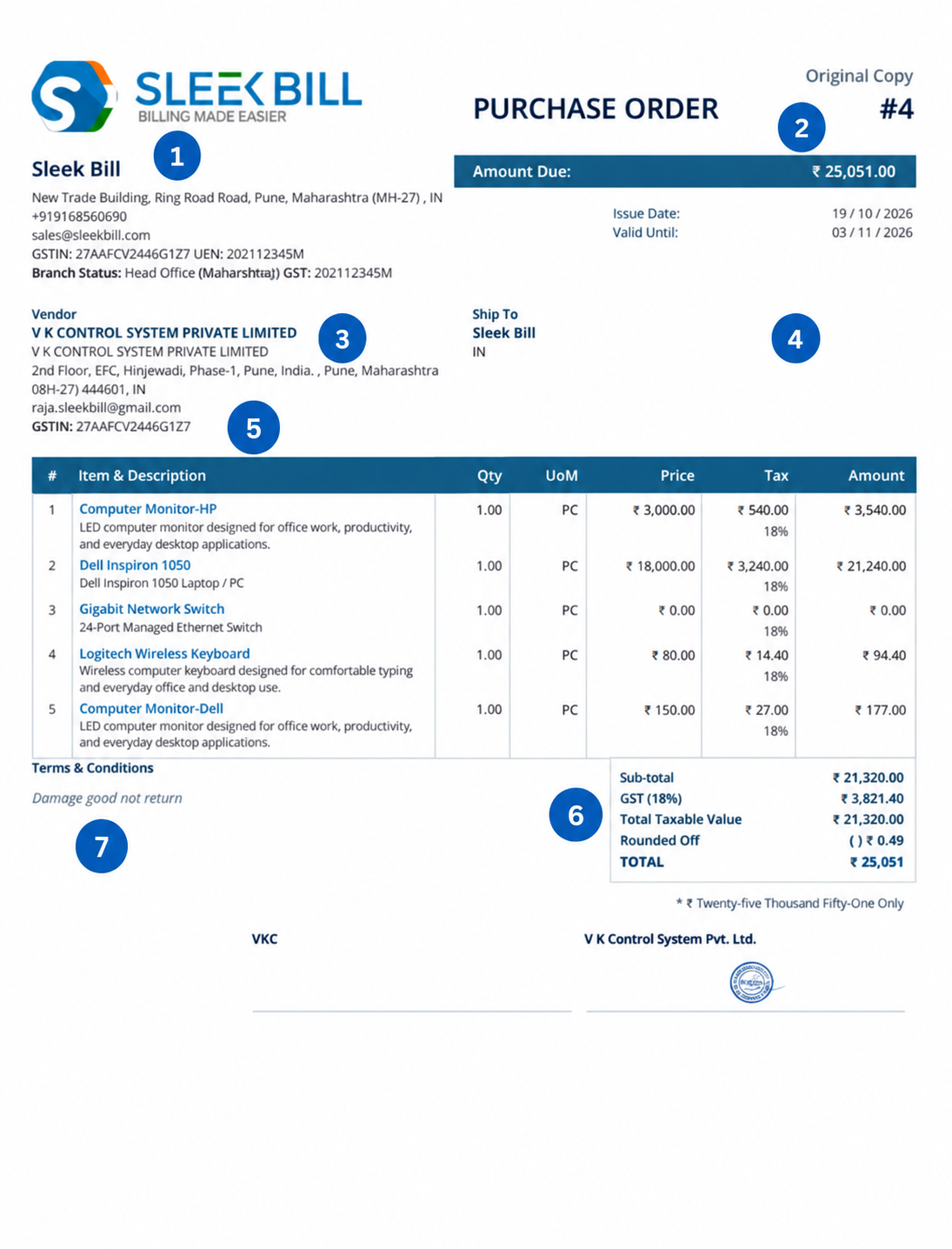
Need different terminology? Sleek Bill documents support configurable labels and columns. See the PO customisation guide →
Keep the supplier’s offer, your buying instruction and the bill for the purchase distinct.
| Document | Who prepares it? | What does it do? | Typical timing |
|---|---|---|---|
| Quotation | Seller / supplier | Proposes prices, scope and terms. | Before the buyer places an order. |
| Purchase order | Buyer | Specifies the goods/services the buyer intends to purchase. | After agreeing the offer; before or as the order is placed. |
| Purchase bill | Buyer records the supplier’s invoice | Records the purchase and amount owed; connects with applicable stock/payment records. | When the supplier invoice is received and checked. |
A PO is not interchangeable with a quotation or purchase bill. Explore quotation software · Explore inventory management.
Reduce repetitive purchasing entry and keep supplier communication and order records organised.
Review quantities, prices and relevant tax settings in a structured purchase order before sending it.
Keep supplier information and purchase records organized for smoother vendor communication.
Track purchase requirements and order stock based on your actual business needs.
Keep track of purchase commitments and costs before goods are received and bills are generated.
Create professional purchase orders quickly and reduce repetitive manual work.
Keep all purchase orders and related purchasing information organized in one place for easy reference.
Sleek Bill helps different business types create structured procurement workflows and maintain professional supplier records.
Manage supplier purchases and inventory replenishment.
Prepare bulk supplier orders and keep agreed purchase quantities and prices together.
Keep supplier orders, purchased items and stock records connected.
Order project supplies and outsourced services from vendors.
Document agreed supplier deliverables and purchasing terms for client projects.
Purchase equipment, supplies, and operational resources.
Keep order preparation, purchase bills and supplier records in one purchasing process, with features depending on your plan.
Create professional purchase orders with vendor, item, quantity, pricing, tax, and delivery details.
Keep purchase orders and vendor transactions organized for better purchasing control.
Review saved order records and validity details. Confirm any specialised approval, partial-receipt or fulfilment workflow in your demo.
Convert purchase orders into purchase bills quickly and reduce repetitive data entry.
Keep organized purchase records and get better visibility into purchasing activities.
Maintain vendor details and purchasing records in one centralized system.
Country coverage is not the same as supporting every currency, tax return or procurement process.
The product’s currency-display guide documents INR, USD and EUR examples for business documents. The PO examples on this page show INR. Confirm your required currency on an actual PO and purchase bill before subscribing.
Currency display guide →Make the currency code clear to the supplier. For a foreign-currency order, confirm how your selected edition handles the PO, bill and conversion rate. An automatic live exchange-rate feed has not been verified for this workflow.
The documented workflow converts a PO to a purchase bill. Stock tracking must be enabled for the relevant items; check the bill quantities before saving. A PO alone does not establish that stock was received.
Stock tracking guide →Indian GST, HSN/SAC and GST reports are India-specific. VAT/custom tax settings depend on the country and plan. Do not assume that an Indian-configured screenshot establishes reporting support in another jurisdiction.
The global pricing page explicitly lists Purchase Order and Purchase Bill Entry under Online Multi User.
Prices are USD; paid Online plans shown here are billed yearly. Confirm taxes and renewal terms at checkout. The separate Desktop product has its own licences and purchase-order entitlements.
Replace scattered procurement records with an organized purchase order management system.
| Feature | Manual Purchasing |  |
|---|---|---|
| Purchase Orders | Manual | Automated |
| Vendor Records | Scattered | Centralized |
| Purchase Tracking | Difficult | Easy |
| Inventory Planning | Reactive | Proactive |
| Documentation | Paper-Based | Digital |
| Reporting | Limited | Detailed |
| Audit Readiness | Poor | Strong |
| Scalability | Limited | Business Ready |
Emerging companies require procurement software that can offer control, visibility, and efficiency. Sleek Bill allows you to issue purchase orders, handle suppliers, procurement management, purchase analysis, improve inventory management, and keep your records organized.
From retail stores, wholesalers, manufacturers, distributors, exporters/importers, to
services companies, Sleek Bill Purchase Order Software makes your purchase processes easier.
A purchase order is the document that the buyer issues to the supplier specifying items that it wishes to buy along with their quantities, costs, and other conditions. Purchase order is different from the quote issued by the supplier as well as the bill representing the transaction.
Open your saved purchase order, check it out and click on “Convert to bill”. Compare the resulting bill with the invoice and goods received from the supplier. Save the bill after verifying it.
A PO records planned purchasing. The documented stock workflow adds purchased items through a purchase bill when stock tracking is enabled. Review quantities and item settings before saving.
The global pricing page explicitly lists Purchase Order and Purchase Bill Entry in the Online Multi User plan at USD $99 per year, with up to 5 users. Free and Premium PO entitlement is not confirmed by their published feature lists.
The general document-display guide illustrates INR, USD and EUR; the published PO examples here show INR. Ask for a demonstration of your required PO currency, purchase-bill currency and conversion workflow before choosing a plan.
Yes. you can absolutely change the labels and columns as per your business requirement and whatever called in your local place. published PO settings guide shows editable document labels and columns, including vendor, shipping, item, quantity, unit-price, discount, tax and terms labels.
GSTIN, CGST, SGST and Indian GST reporting are India-specific. Check applicable VAT or custom tax settings for your country. These examples do not promise support for every local tax requirement.
The screenshots and Online plan comparison describe Sleek Bill Online, which runs in a browser and needs internet. Desktop is a separate product with its own installation and licence details.
Create professional purchase orders, manage suppliers, track inventory replenishment, and improve procurement efficiency with Sleek Bill Purchase Order Software.